AI Code for Adobe Illustrator
A professional CEP extension for Adobe Illustrator to generate 100% pure vector EAN-13 barcodes and QR Codes directly into your artwork.
Provides high-precision vector geometry, full GS1 standard compliance for packaging/retail barcodes, and InDesign-compatible QR code generation with rich data types and a dedicated Logo Space cutout option.
Main Features and Capabilities
Generates clean compound paths (CompoundPathItem) and crisp vector rectangles without overlapping seams or raster artifacts. Clean 100% K black vector shapes directly placed onto your artboard.
Automatic 13th checksum calculation (Modulo-10) for 12 digits or check validation (Chk helper button). Full GS1 / ISO/IEC 15420 compliance with extended Guard Bars (101, 01010, 101) and Quiet Zones. Scaling presets: SC0 (80%), SC2 (100% nominal / 0.33 mm), and SC5 (120%). Bar Width Reduction (BWR) in microns (μm) for flexo/offset ink bleeding compensation. Searchable Font Picker with instant search across all installed fonts, recent fonts history, and vector outlines conversion.
Full support for 5 standard data types: Web Hyperlink (URLs), Plain Text (multi-line, Wi-Fi credentials, batch info), Text Message (SMS with phone & pre-filled text SMSTO:), Email (recipient, subject & body MATMSG:), and Business Card (vCard 3.0 with name, title, company, phones, email, website, and address).
Configurable central empty area (10% to 30% width) for seamless placement of custom logos and branding. 4 Error Correction levels: L (7%), M (15%), Q (25%), and H (30% logo recovery). Quick size presets (15 mm, 25 mm, 40 mm). Combines all QR modules into a single compound path for 1-click recoloring.
Real-time visual feedback and instant data validation badge before inserting codes into Illustrator. One-click realistic sample data generation (Rnd) for all code types. Automatic settings preservation across Illustrator sessions and 1-click factory reset (default).
Center on Active Artboard or Center on Selected Object. Automatically create and place barcodes onto a dedicated layer (e.g. Barcodes) or the active layer. Optional clean white background box (bg box) with quiet margins.
AI Code PRO
Need 18 barcode standards (UPC, ITF-14 Bearer Bars, Code 128, ISBN), Excel batch processing, and built-in screen scanner?
⚡ Discover AI Code PRO →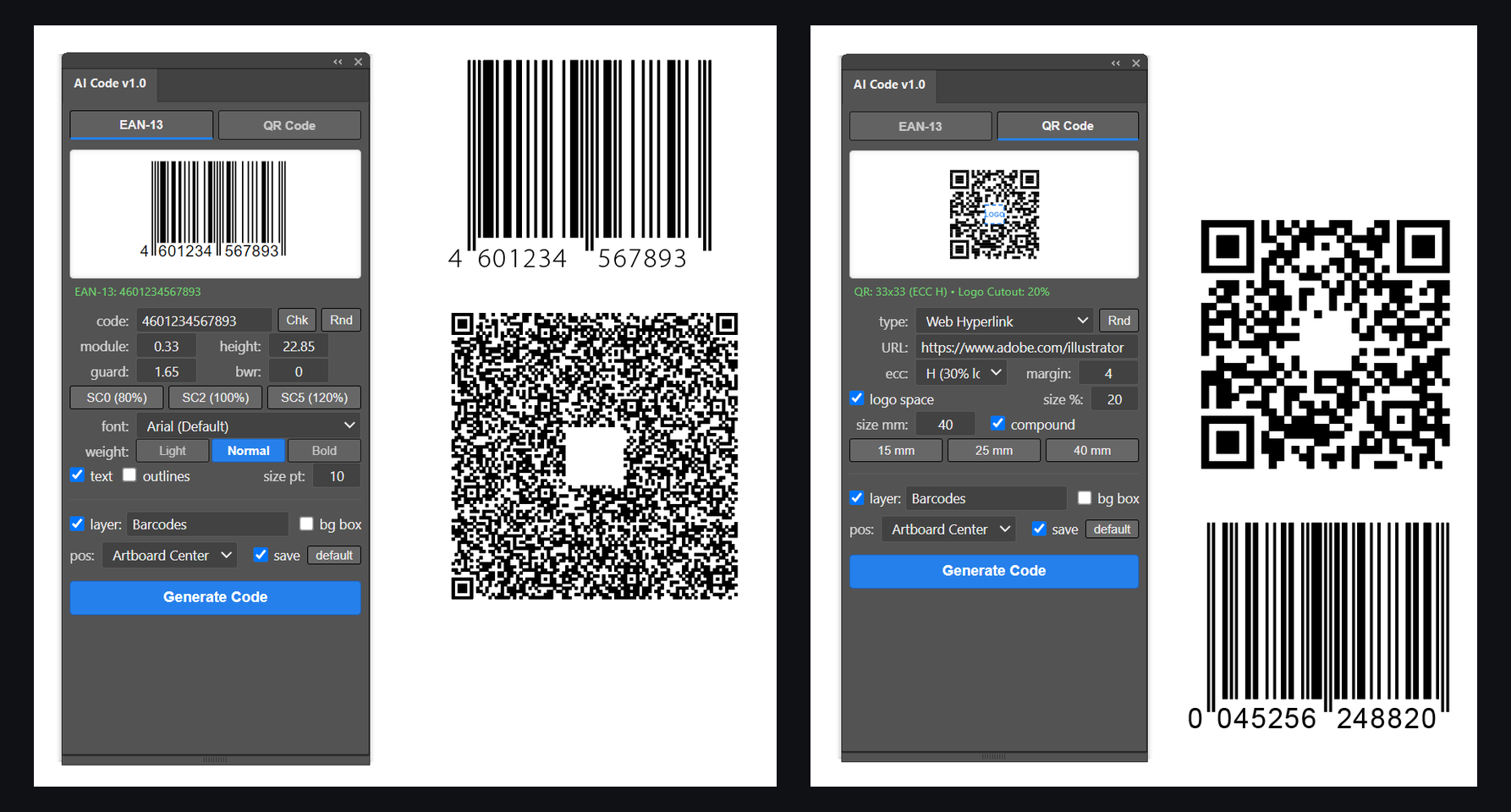
Free Download
Tested on Adobe Illustrator CC 2019 – 2026+ (Windows & macOS). Open source on GitHub.
View Source on GitHub Download ZIP ArchiveInstallation Instructions
Windows:- Run
enable_player_debug_mode.regincluded in the archive by double-clicking it and confirm adding changes. - Extract the
AI Codefolder to:%APPDATA%\Adobe\CEP\extensions\\/code> - Restart Illustrator. Available under Window > Extensions > AI Code.
- Open Terminal and enable PlayerDebugMode:
for v in 9 10 11 12 13 14 15 16 17 18; do defaults write com.adobe.CSXS.$v PlayerDebugMode 1; done; killall cfprefsd - In Finder press
Cmd + Shift + G, paste~/Library/Application Support/Adobe/CEP/extensions/and copy theAI Codefolder there. - Restart Illustrator. Available under Window > Extensions > AI Code.