ID Dimension for Adobe InDesign
A powerful tool for Adobe InDesign designed to automatically draw technical dimensions, bounds, center marks, and leader lines for page items and vector objects.
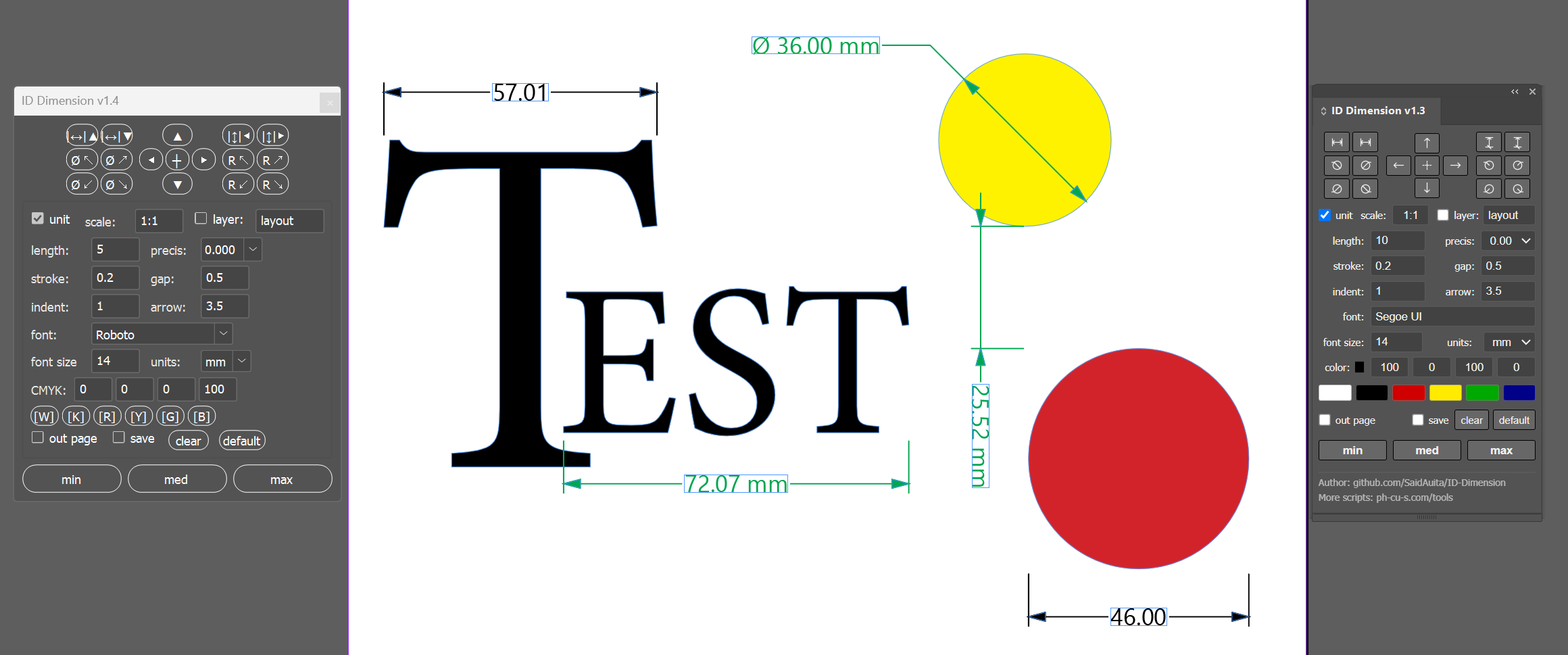
Includes both a modern dockable CEP extension panel (for CC 2019+) and a lightweight standalone ScriptUI script (.jsx) for maximum compatibility.
Main Features and Capabilities
Choose between a modern dockable CEP panel with HTML/JS styling or a classic lightweight floating ScriptUI palette (ID Dimension.jsx) that works across all InDesign releases without registry setup.
Search and select any installed system or InDesign font directly from the panel with instant fuzzy search, cached background loading, and a list of recently used fonts.
Dedicated buttons for measuring the horizontal distance between two objects (with callouts placed on the Top or Bottom) and vertical distance (placed on the Left or Right).
Measure radius (R) and diameter (Ø) in all four directions (Top-Left ↖, Top-Right ↗, Bottom-Left ↙, Bottom-Right ↘) with dedicated horizontal landing shelves.
Full support for blueprint and drawing scales (e.g. 1:10, 1:50, 1:100, 2:1, or multipliers like 10) and units (mm, cm, in, pt, px) with automatic math adaptation and optional unit suffix.
Continuous dimension lines and proper formatting compliant with ГОСТ / ISO standards when dimensions are narrow. CMYK color swatches, 3 customizable preset slots (min / med / max), smart layer routing, and one-click dimension clearing.
Download
Tested on Adobe InDesign CC 2019 – 2026+. Open source on GitHub.
View Source on GitHub Download ZIP ArchiveInstallation Instructions
Option A: Modern CEP Extension (Panel)- Run
enable_player_debug_mode.regincluded in the archive. - Extract the
ID Dimensionfolder to:%APPDATA%\Adobe\CEP\extensions\ - Restart InDesign. Available under Window > Extensions > ID Dimension.
- Copy
ID Dimension.jsxto:%APPDATA%\Adobe\InDesign\Version <XX.X>\<Locale>\Scripts\Scripts Panel\ - In InDesign open Window > Utilities > Scripts and double-click
ID Dimension.jsx.