Immich AI Captioner (Standalone)
Autonomous Windows desktop client for automatic AI photo recognition, scene description, and search tag generation in Immich galleries using local Vision-Language Models (Qwen2.5-VL / Qwen3-VL in LM Studio or Ollama).
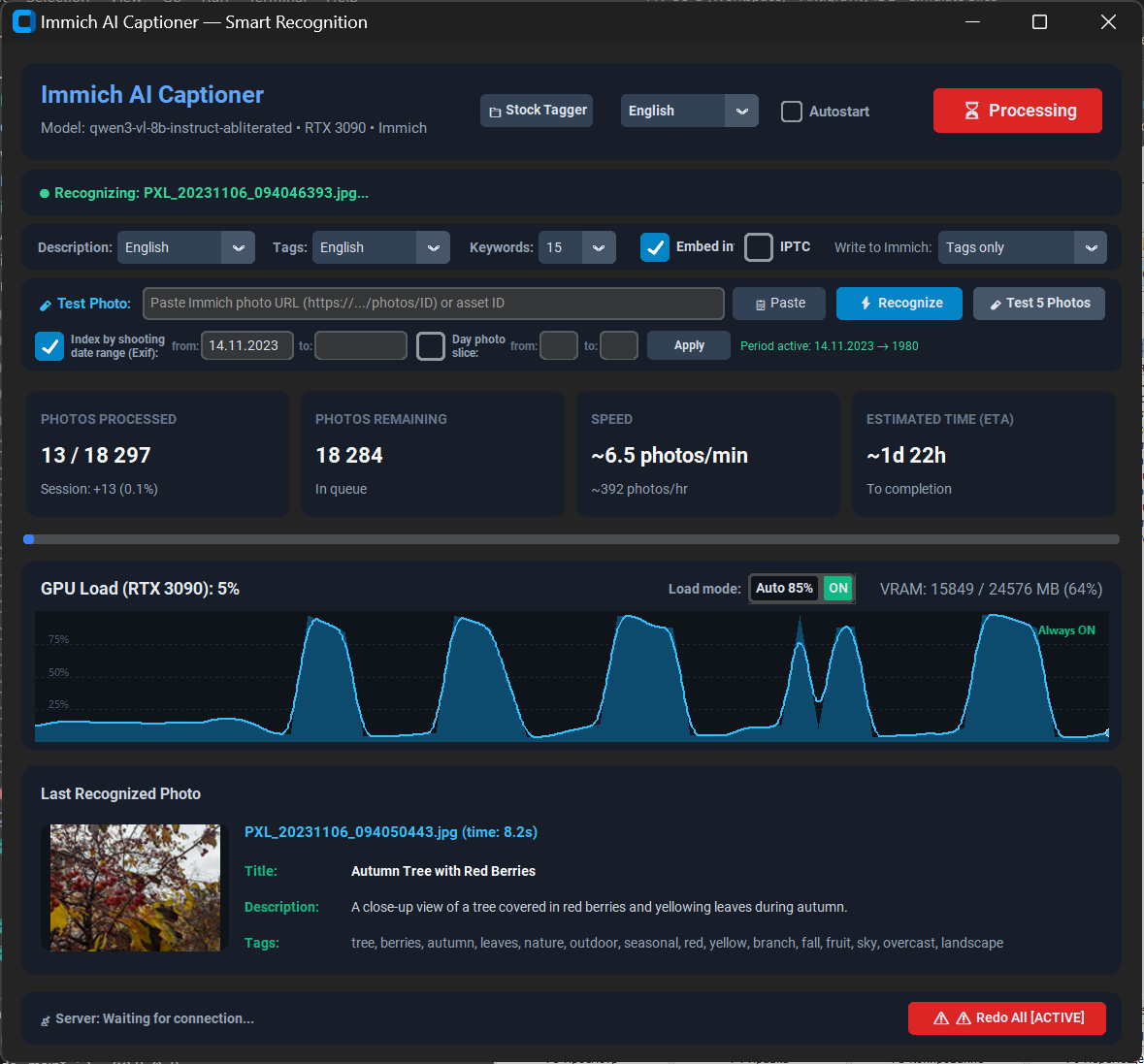
Connects directly to your self-hosted Immich server via REST API, analyzes images with local GPU vision models without costly API subscriptions or cloud privacy leaks, updates Immich database tags in real-time, and optionally writes standardized IPTC/XMP metadata into original image files via ExifTool.
Key Features & Capabilities
All image processing runs on your own hardware via LM Studio or Ollama. Zero personal photo uploads to third-party clouds and no monthly API fees.
Specify a starting date (e.g. 01.01.2024) and leave the end date empty to immediately begin indexing backwards into your archive without scanning the whole library.
Generate scene descriptions in your native language while keeping search keywords in English for universal compatibility with Adobe Lightroom, Capture One, and search engines.
Optionally injects IPTC:Keywords and XMP-dc:Subject directly into photo originals via ExifTool. Your tags stay with your files permanently.
Monitors GPU utilization and automatically pauses background AI generation when intensive 3D games or video rendering workflows are detected.
Automatically terminates orphan background processes on startup and ensures a clean shutdown of all threads when closing the window or exiting the tray.
Download
Standalone binary for Windows 10/11 x64. Zero Python installation or external runtime setup required.
GitHub Repository Download Standalone EXE (~39.6 MB) Download Portable ZIP Archive (~39.2 MB)Quick Start
- Start LM Studio, load a Vision model (e.g.
Qwen2.5-VL-7B-Instruct-GGUF), and start Local Server on port 1234. - Run
ImmichAI_Captioner_Standalone.exe. - Enter your Immich server URL (e.g.
http://192.168.1.100:2283) and API key. - Select your languages, configure date filters, and click "Start Indexing".